
If you’ve opened Dubsado 3.0 and immediately closed the tab… you’re not alone.
The shift from 2.0 to 3.0 feels big. And learning a new layout and features on top of everything else you’re managing doesn’t make it any easier. But here’s the part most people are missing:
Nothing’s gone. You just need to know where to find it now.
As of April 2026 when this post is being written, here are some of Dubsado 3.0’s newest features. You can still log into 2.0 at anytime at https://hello.dubsado.com. You can access 3.0 at https://app.dubsado.com.
Once you understand what’s actually new (and what’s just moved), you’ll see that Dubsado 3.0 isn’t just different, it’s a better business owner experience.
Below is a breakdown of the most important Dubsado 3.0 features you need to know so you can start using it with confidence.
(You can also watch the full walkthrough below. I recommend skimming this first, then diving into the recording.)
First- What Hasn’t Changed
Before we get into new features, let’s clear one thing up.
Your workflows, automations, and client processes still work the same way as of April 2026.
- Workflows still trigger the same way
- Proposals, invoices, and forms still function
- Your client experience is still intact
The biggest change is how everything is organized within Dubsado for the business owner.
A Smarter, Customizable Dashboard
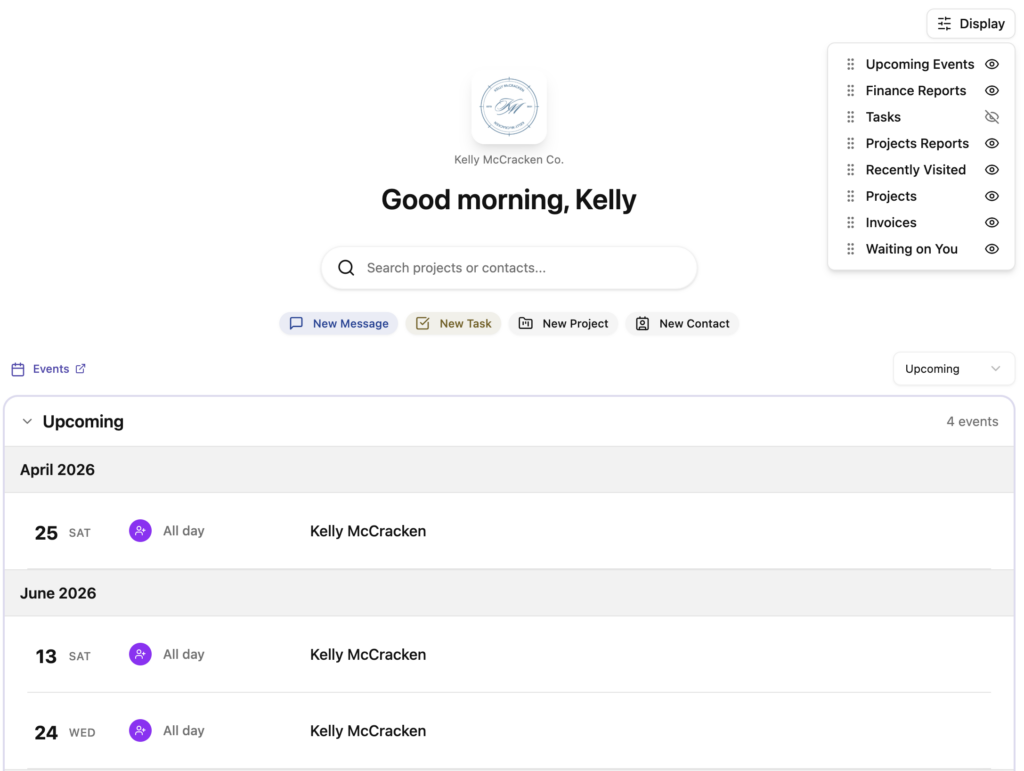
The first thing you’ll notice when you open Dubsado 3.0 is the new dashboard.
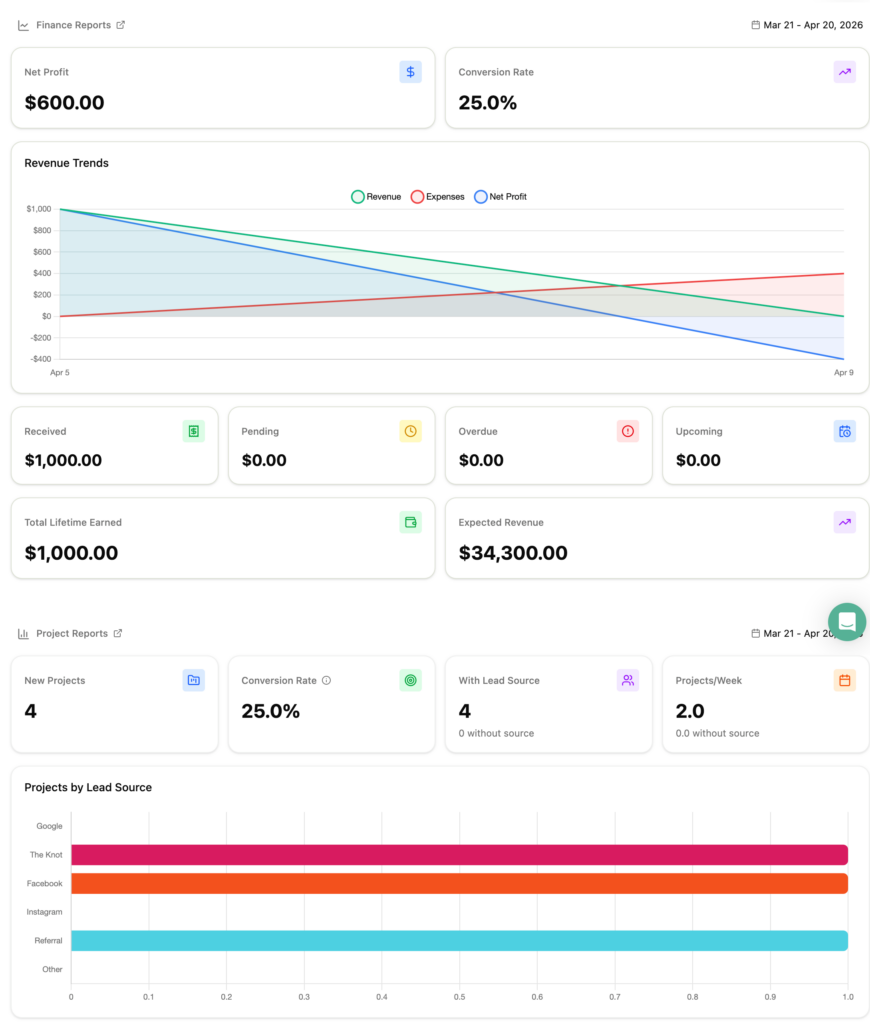
You now have full control over what you see when you log in. You can drag and drop sections, hide anything you don’t need, and customize your financial reports with your own date ranges.
One of the most useful updates is the built-in conversion rate tracker.
You can now see:
- How many leads are coming in
- Where they’re coming from
- How many are actually converting to booked jobs
This gives you a clear view of what’s working and where you might be losing potential clients.
Important note:
Conversion rate is based on invoices being paid, not just project status.
Everything Is Now Connected (Templates + Projects)
In Dubsado 2.0, everything lived in separate places. In 3.0, it’s all connected.
Instead of jumping between:
- Projects
- Templates
- Emails
- Invoices
You can now see how everything works together in one place.
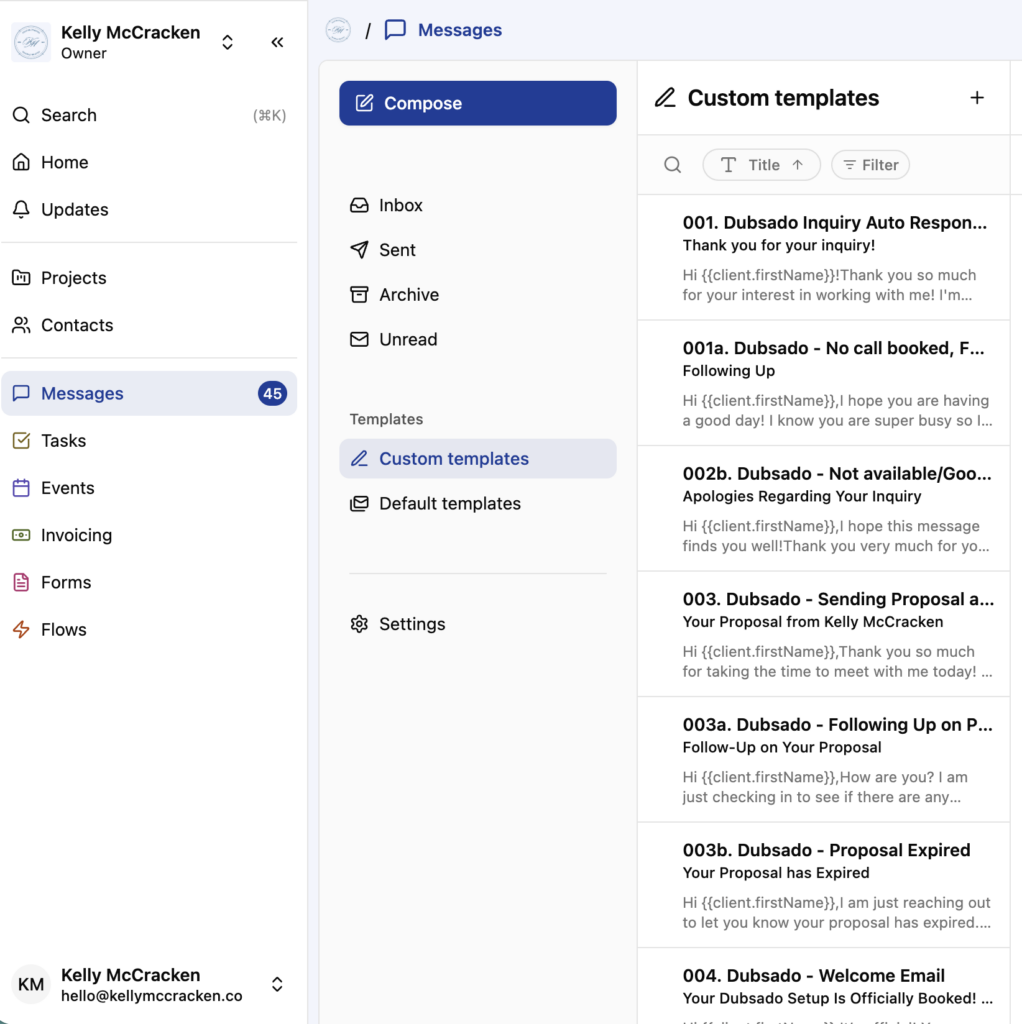
For example, messages and email templates now live together, invoices are grouped with their templates, and forms sit right next to their templates.
This makes it easier to:
- Find what you need
- Make updates faster
- Understand how everything is connected
Dubsado 3.0 Project View Got a Major Upgrade
The project page is where most people feel the most frustrated and end up jumping back to 2.0. But it’s also where some of the biggest improvements were made.
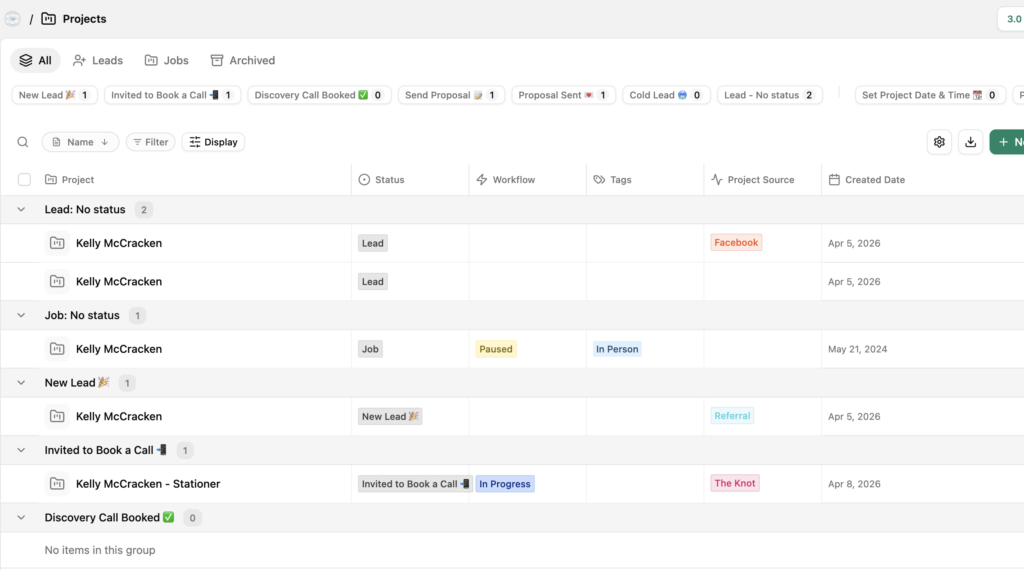
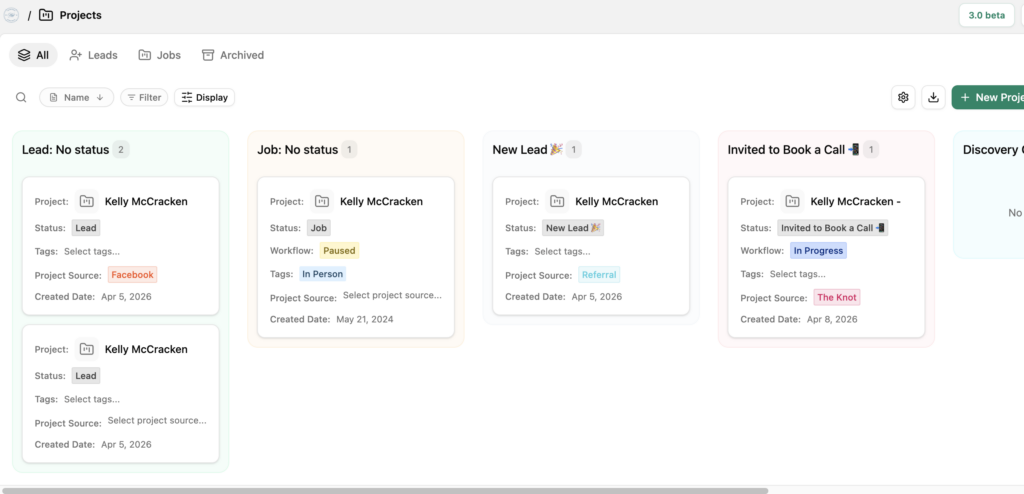
One of the biggest updates is the new custom views. You can switch between table and board view, choose which columns you see, and group your projects by status, tags, or source. You can finally organize your projects in a way that works best for your brain.
Another major upgrade is bulk actions. You can update multiple project statuses at once, add tags in bulk, and send emails to multiple clients while still using smart fields like names so everything feels personal.
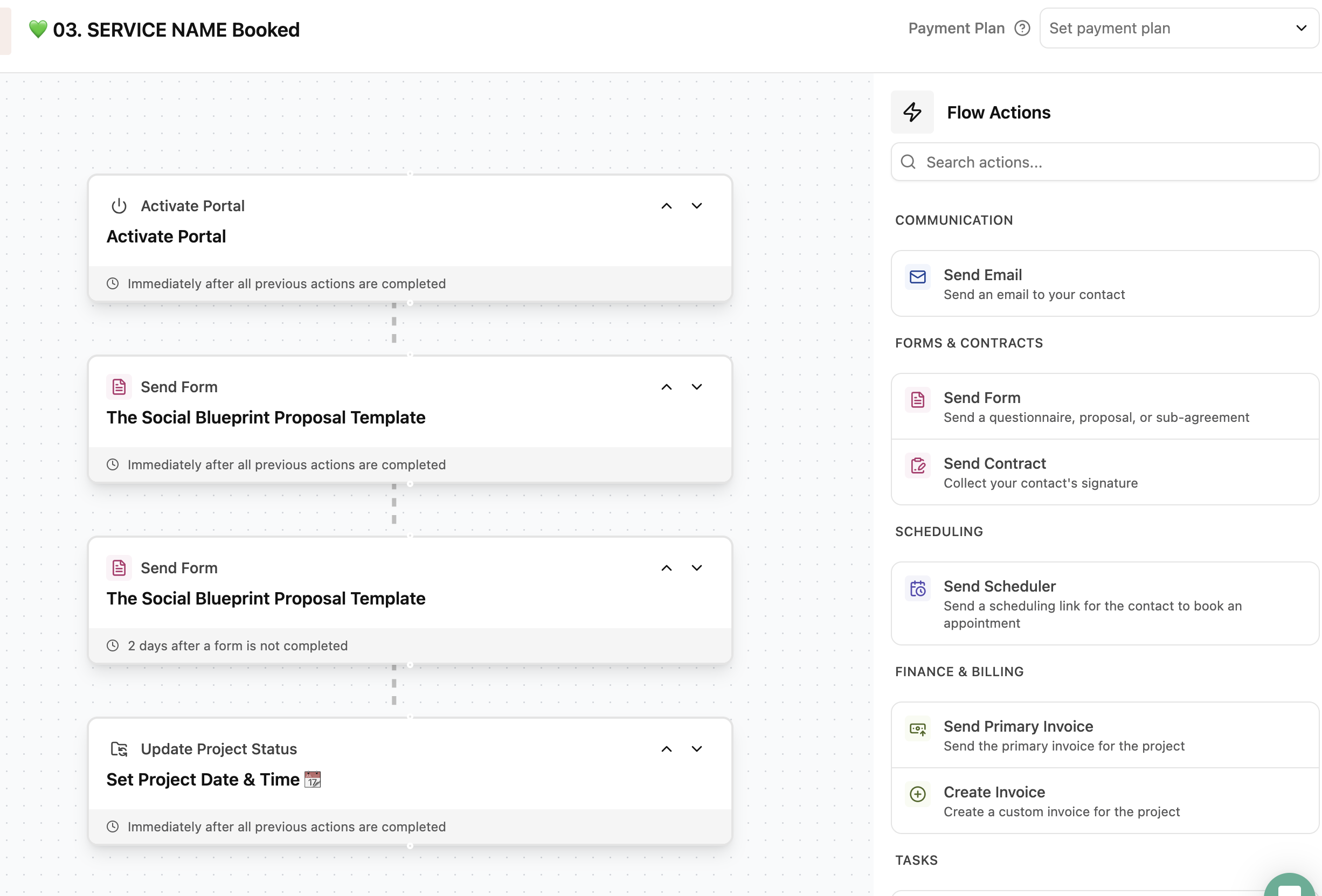
And then there’s workflow visibility. You can now instantly see what’s completed, what’s been skipped, and what has errors.
Project Table View in 3.0
Or Projects Viewed as a Board..
Email & Messaging Feels Streamlined Now
This is one of the most impactful upgrades in Dubsado 3.0.
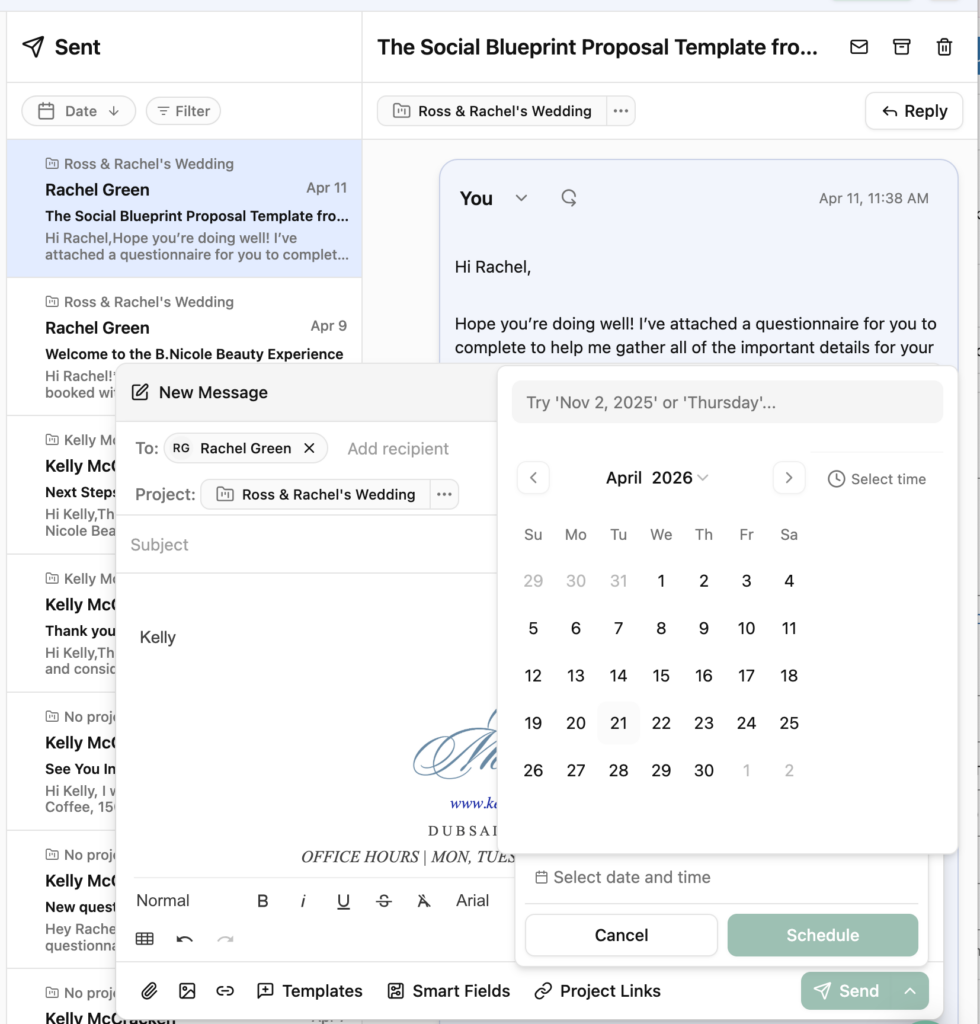
Before, emails could feel disconnected depending on where they were sent. Now your Dubsado and Gmail emails are tracked together, conversations are properly threaded, and you can schedule emails to send at exactly the right time.
You can also save drafts as you move around the platform, so you’re not losing work or starting over.
Client communication is much easier to manage and far more consistent.
Scheduler Improvements You’ll Love
The scheduler in Dubsado 2.0 worked, but the 3.0 version makes things a lot easier.
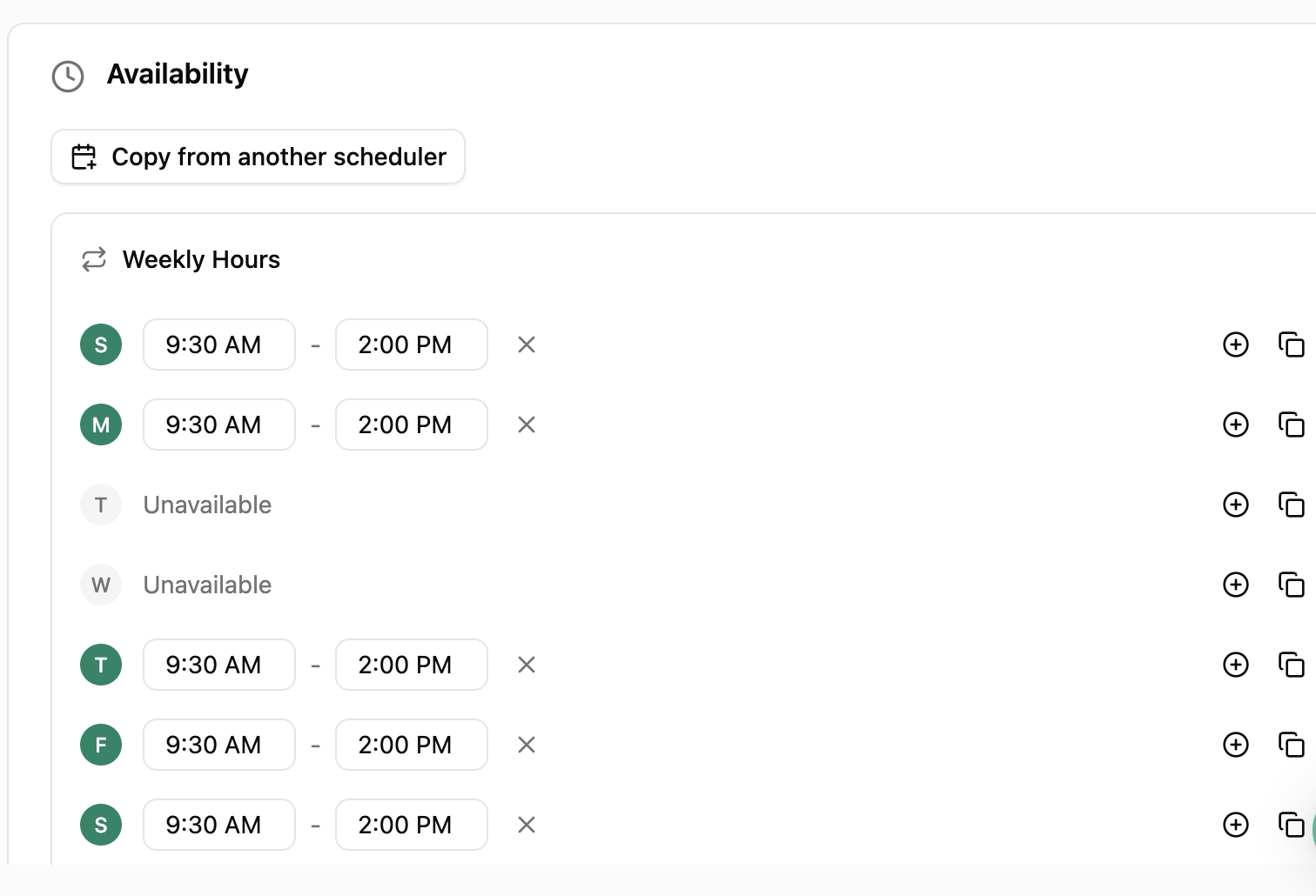
Availability is simpler to set up and duplicate, and you can copy schedules across different appointment types instead of starting from scratch each time. Event descriptions are now customizable, giving you more control over what your clients see before a call.
And one of the most helpful updates: calendar events are automatically added for your clients.
No more extra steps. No more missed calls. It’s already handled.
A Better Way to View Form Responses
This is a small change that makes a big difference.
You now have a form summary view.
Instead of digging through styled forms, you can:
- See all answers in a clean format
- Copy responses quickly
- Export or download them
This is especially helpful for:
- Wedding questionnaires
- Client onboarding forms
- Any detail-heavy responses
Easier Workflow Editing
One of the most frustrating parts of 2.0 was adding someone to a workflow without triggering something too early.
Now you have a new option:
“Add + Edit” before starting a workflow
This allows you to:
- Pause the workflow before it runs
- Adjust timing or steps
- Activate it when everything is ready
This removes a lot of the risk when managing active clients.
Package Updates That Sync
In Dubsado 3.0, when you update a package, you can now:
- Push updates across multiple templates
- See exactly where that package is being used
- Apply changes globally
Update it once, and it’s updated everywhere.
Ongoing 3.0 Updates & What’s Coming Next
Dubsado is actively building 3.0 in real time.
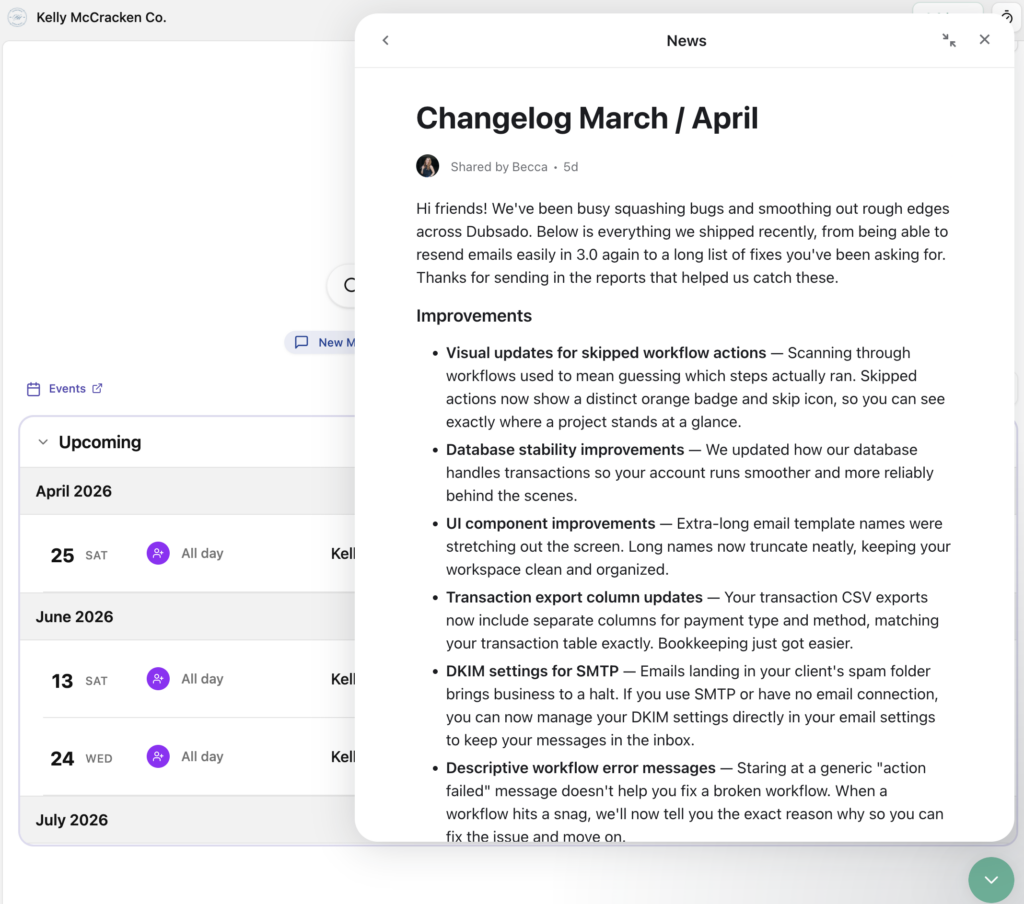
Inside your account, you’ll now see:
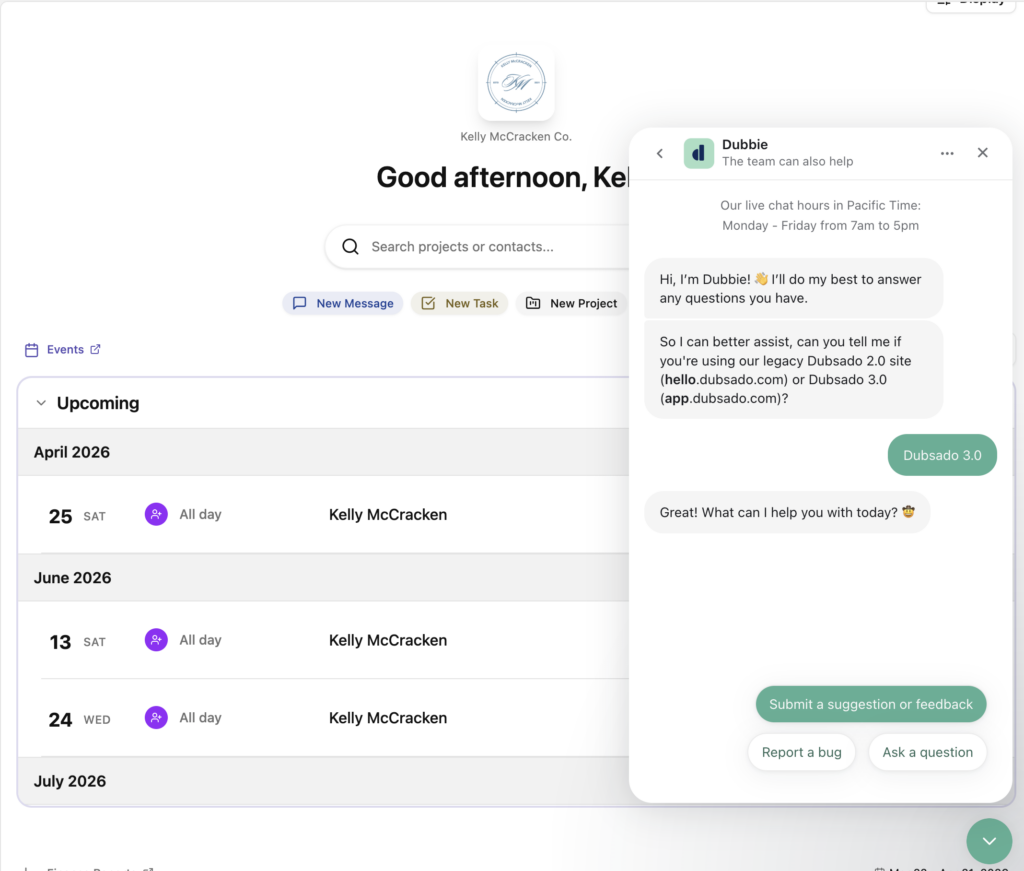
- A “What’s New” section
- Regular feature updates
- Bug fixes and improvements
You can also submit feedback directly through the chat, and they’re actively using it.
Final Thoughts on Dubsado 3.0
As Dubsado 3.0 continues to roll out, it’s going to make your client experience easier to manage.
Yes, there’s a learning curve.
But once you get comfortable, you’ll realize:
This version gives you more control, better visibility, and a stronger client experience overall.
If you want to see all of this in action, I break it down in this video training.
Ready to make Dubsado 3.0 work for you?
If you’re still feeling stuck or overwhelmed, you don’t have to figure this out on your own.
I help business owners set up Dubsado so their systems actually support their business and create a smoother client experience.
If you want help getting everything set up in a way that makes sense, you can inquire here.







We should team up!
And if you still have questions about how to set up Dubsado…
Your expertise belongs in your craft more than your CRM. Bringing in a pro to do the strategic thinking and heavy lifting means that you’re never stuck Googling, experimenting, or muddling through something that only kind of works.
When you book a Dubsado setup for your business, we get to skip right over any implementation growing pains or learning just for learning’s sake. As a Certified Dubsado Specialist, I build exactly what you need, and then show you exactly what you need to do to keep the system running smoothly.

